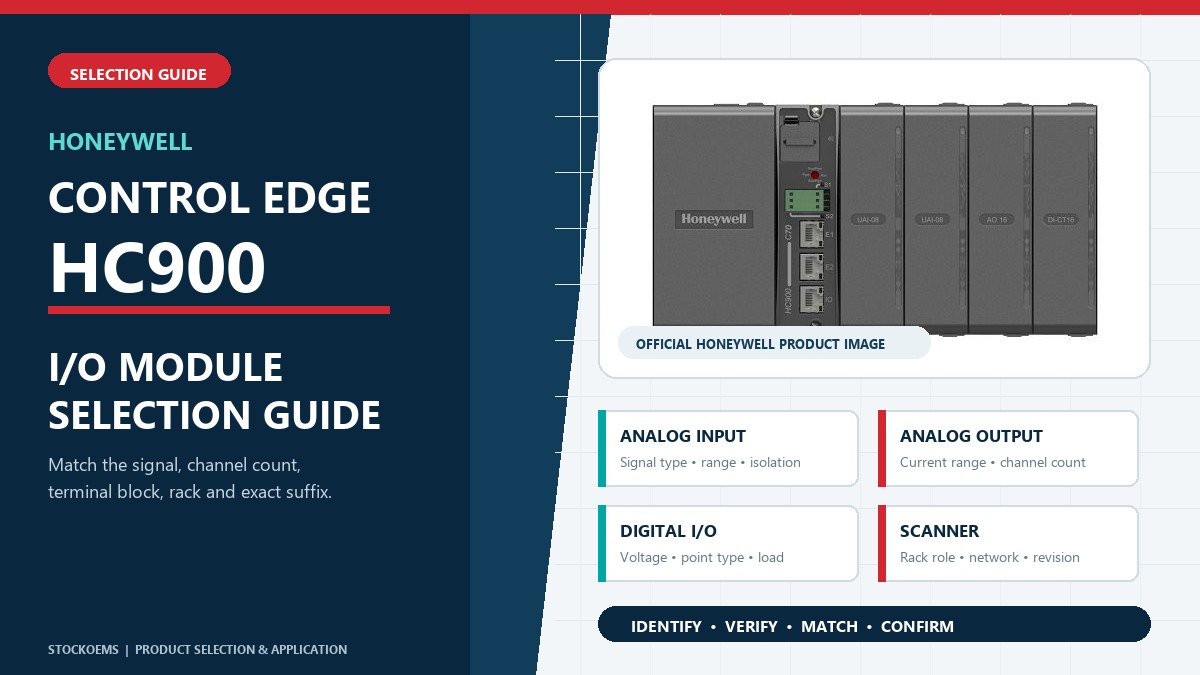
Honeywell describes ControlEdge HC900 as a modular process and logic controller with local and remote I/O choices. Within one system family, modules can differ by signal type, electrical range, channel count and terminal arrangement. Record the complete order number and suffix, rack location, connected field device, wiring, terminal block, hardware revision and firmware before comparing replacement options.
|
Analog Input
Match sensor type, input range, channel count and isolation.
|
Analog Output
Confirm output range, channels, load and terminal details.
|
|
Digital I/O
Separate input from output and verify voltage, point count and load.
|
Scanner Module
Identify the remote-rack role, controller architecture and revision.
|
HC900 documentation includes universal and high-level analog inputs plus 4-, 8- and 16-channel analog outputs. For an input, identify the connected RTD, thermocouple, voltage or current signal and the required measurement range. For an output, confirm the current range, number of channels, load and terminal block. Similar channel counts do not establish interchangeability.
Honeywell lists 16- and 32-point digital inputs and 8-, 16- and 32-point digital outputs, along with relay and pulse/frequency/quadrature options. Confirm whether the field circuit is sensing or switching, then verify voltage, point type, load and required fail-state behavior. Do not substitute an output module for an input module because the connector or enclosure appears similar.
A scanner supports the remote I/O architecture; it is not selected as a general replacement for a CPU or signal module. Confirm the installed controller arrangement, rack role, communication path and complete scanner suffix. This distinction matters when an expansion rack, redundant system or safety-related installation is involved.
Use this process during planned maintenance, shutdown preparation, failed-module replacement or spare-parts standardization in thermal processing, chemicals, life sciences, water, utilities and related process plants. HC900 supports removal and insertion of I/O under power, but Honeywell instructs users to disconnect field power before removing terminal blocks. Follow the current Honeywell documentation and site procedures, and have qualified personnel confirm the final replacement.
Confirm the complete model, series, revision, firmware, quantity and label information before ordering. The primary references cover ControlEdge HC900; the final entries are related Honeywell control-system hardware and do not imply compatibility with HC900.
| Model | Hardware Role / Description |
|---|---|
| 900A01-0202 | HC900 8-channel universal analog input module |
| 900B08-0202 | HC900 8-channel 0–20 mA analog output module |
| 900B16-0001 | HC900 16-channel I/O module |
| 900B16-0202 | HC900 16-channel analog output module |
| 900C72R-0100-44 | ControlEdge HC900 controller module |
| 900C75-0560 | ControlEdge 900 CPU |
| 900C75S-0360-00 | ControlEdge 900 redundant controller reference |
| 900G02-0202 | HC900 16-point DC digital input module |
| 900G32-0301 | HC900 32-point 24 V DC digital input module |
| 900H32-0302 | HC900 32-point 24 V DC digital output module |
| 900S75S-0360-00 | ControlEdge 900 I/O scanner module reference |
| CC-GAIX21 | Experion Series C analog input IOTA |
| TC-FXX132 | Honeywell 13-slot chassis |
| TC-FXX102 | Experion LS Series A 10-slot chassis |
| TK-PRS022 | Experion PKS C200E control processor module |
Use the complete manufacturer reference shown on the product label when requesting a quotation.
| 52400659 | 100-02823 | ABE7 P16T334 - EM/SS |
| 1771-IAD 96220672 A01 | GE IC693APU300HRA | U891RX |
| AF20AOpens | 90984/3/1 | QIO-PCIE |
| ES5D001VST00 ES5D00ETPC00 | QBM2030-30 | EC401-11 |
| PM850UMG | ABB DC532 | Allen Bradley 80025-523-10-R |
| ET901-DC | MTL688 | 2cdg 110 171 R0011 |
| TA200DU-90 66-90A 1SAZ421201R1001 | ABB 2CSYD0202B 2CSY290962R0202 | VS-5FDT-1 |
| 420-10E | i1010 | TA25DU 1SAZ211201R1025 |
| IMDSI02 | F2108 | GSA-SB |
| 837-1 1002107404AA | cantrol-CEDIO-p 24/24/2-0 | RKC4.221T-30/TEB |
| UNC-500 | EL900-A-N-1-A | SCS LG-003842 |
| H3C X362 5500 / 5130 HI JG544A PSR720-56AH | 3286-20 | PW7K1R2B/PRO42R2B |
| GN50 | RB2 BA4 | Gent S4-720 |
| SCMD6400 | 2cdg110125R0011 | MA3751Z.3Z MA3751Z |
| 7PU4020-1AJ20 | CQM1-PRO01-E | 3AA01318700 |
| AT-HDTX-IR | C-TSDI-1624C | RF-4200-01-1 |
| 9150-28178-02 | ABB DO573 1SAP231300R0000 | 60-2720 0160-2720 -144400-0004 |
| ABB 251 204-AN | FCSM082300 | PXC3.E72 S55376-C100 |
| 1F83-71 2 | STR350 004600100 | MTL4541AS |
| MC1490A | 3100321 | ABB RC/A4.2 |