SCALANCE XC-200 · MANAGED INDUSTRIAL ETHERNET
SCALANCE XC206-2 Managed Layer 2 Switch
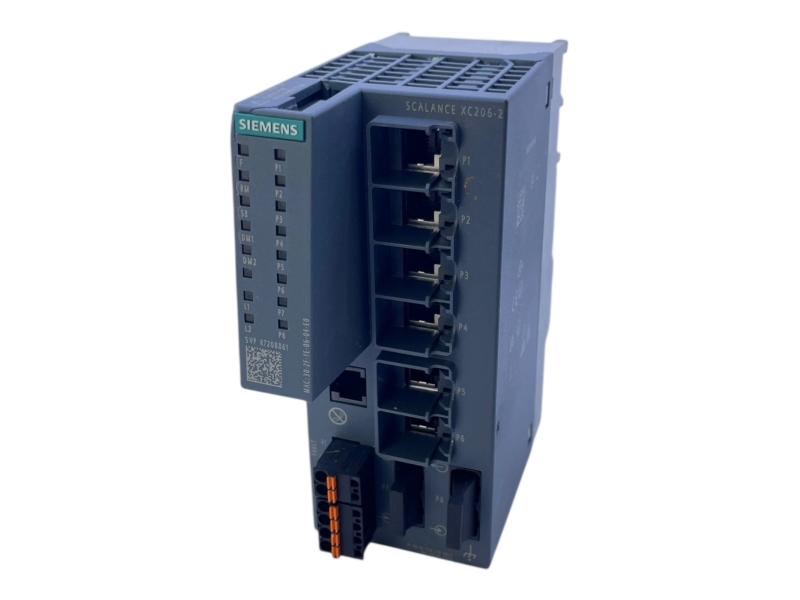
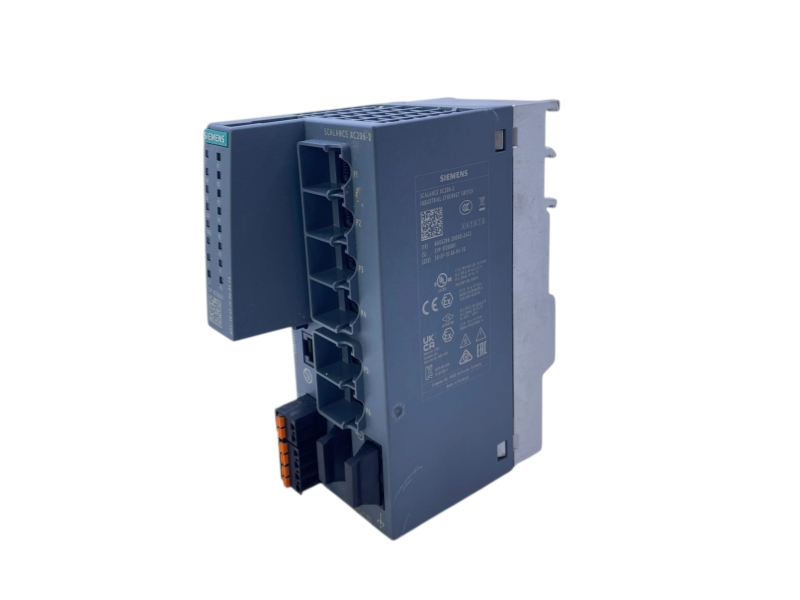
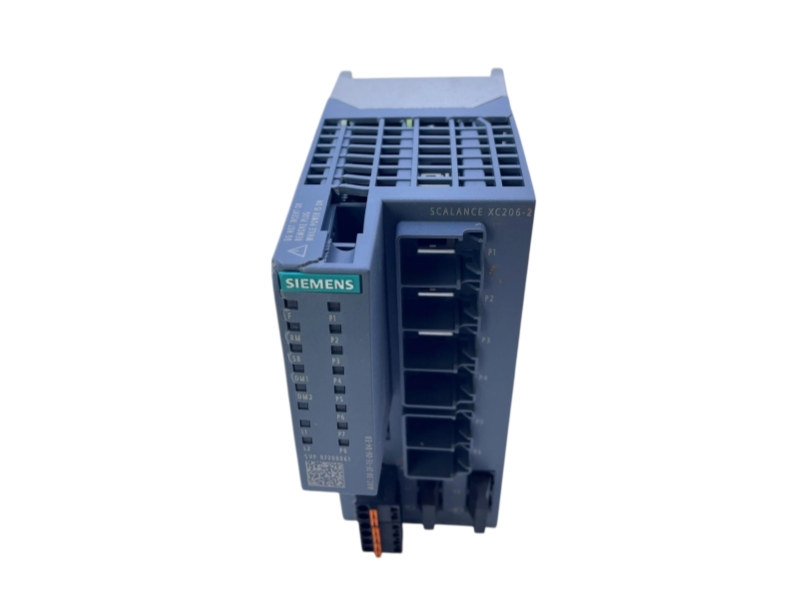
Siemens 6GK5206-2BD00-2AC2 is the SCALANCE XC206-2 managed Layer 2 Industrial Ethernet switch. It combines six 10/100 Mbit/s RJ45 ports with two 100 Mbit/s SC fiber ports and a console port. The switch supports redundant power supply, LED diagnostics and network functions including RSTP and VLANs. It is designed for DIN rail, S7 mounting rail or wall installation, with a specified operating temperature range of -40 °C to +70 °C. Before replacement, review the fiber connections, network configuration and installed firmware. Stockoems coordinates exact-model identification, condition evidence and worldwide shipment requirements.
Condition, availability and warranty are Stockoems commercial information, not promises made by Siemens. Worldwide shipping options are reviewed against the destination and order requirements.
Plan the switch around port media, configuration and redundancy requirements.
Typical project scenarios to assess with the responsible automation engineer include:
Match the full article number, SC fiber connection requirements, power wiring, mounting arrangement and network configuration. Review the actual hardware and firmware against applicable Siemens documentation and security advisories. Network segmentation and approved access controls remain necessary; a managed switch is not a substitute for a complete industrial cybersecurity design.
It is the Siemens SCALANCE XC206-2 managed Layer 2 Industrial Ethernet switch. This exact version combines RJ45 copper ports with SC fiber ports.
It provides six 10/100 Mbit/s RJ45 ports and two 100 Mbit/s SC ports. A separate console port is also listed for local access.
This article has two SC fiber ports. Do not substitute an SFP or another fiber-connector version solely because its product family name is similar.
Compare the actual unit revision, firmware, copper and fiber cabling, redundant power connections and saved network configuration. Review C-PLUG inclusion separately from the documented C-PLUG slot.
The Siemens product catalogue lists this exact article as PM300: Active Product. Its lifecycle is therefore shown as Active, not Discontinued.
Stockoems lists this product as Original new and In stock, with the commercial offer With 1 year warranty. Confirm the supplied unit, order scope and written warranty terms before purchase. These are Stockoems commercial terms, not a manufacturer warranty promise.
Send us the complete part number, required quantity, destination country and product label photos. Our team will check availability, condition, compatibility requirements and shipping options.
Email: sales6@apterpower.com
WhatsApp: +86 18159889985
STOCKOEMS PROCUREMENT SUPPORT
For Siemens 6GK5206-2BD00-2AC2, purchasing review starts with the complete switch article number and continues through condition evidence, engineering checks, shipment preparation and written support terms.
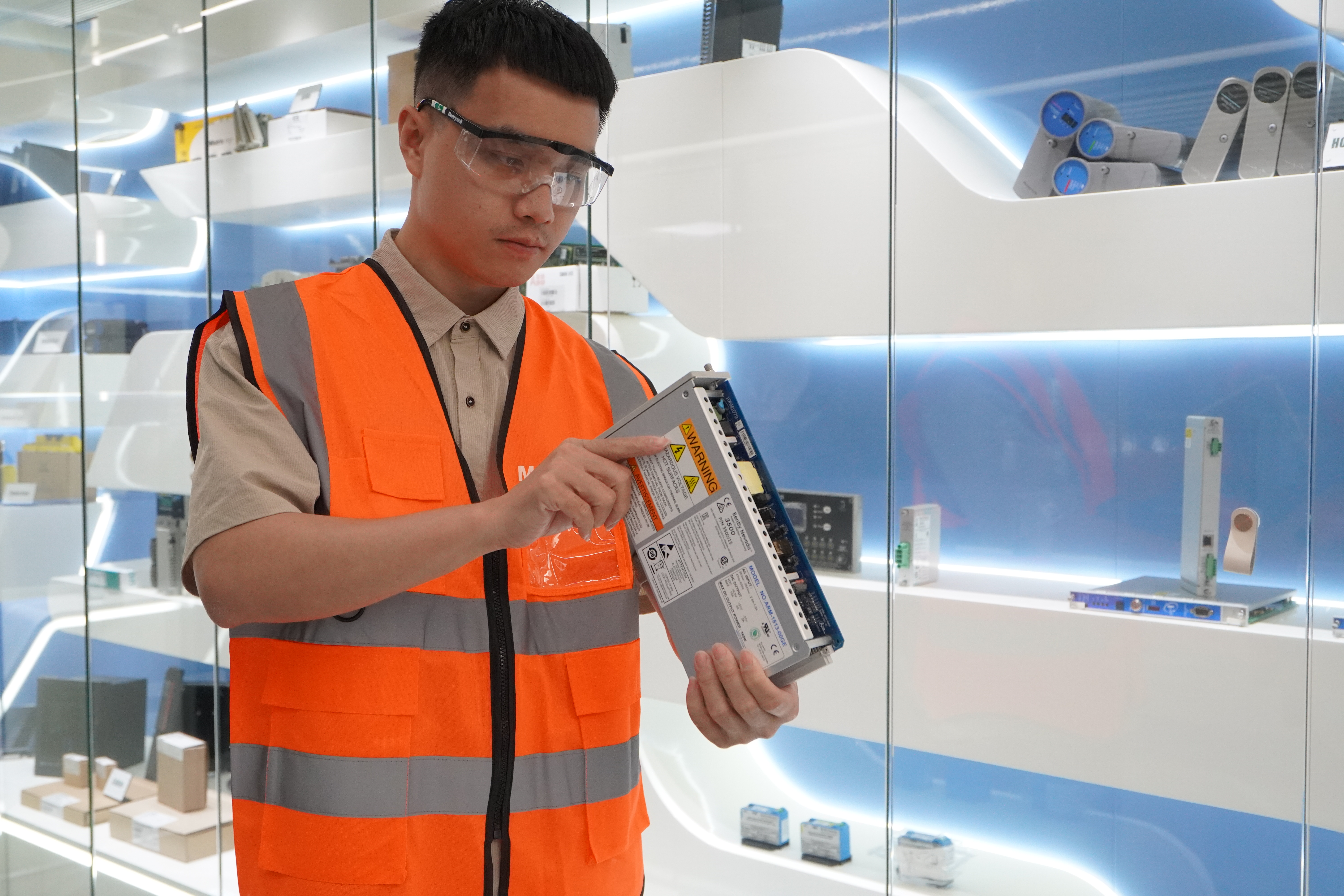
Careful identification supports a clear and consistent purchasing record.
Model and suffix verification: compare the complete article number on the inquiry, quotation and product label.
Condition confirmation: review the offered condition and visible housing, connectors, seals and packaging. Disclose any inspection limitations.
Product and label photo confirmation: request clear photographs of the actual offered unit before order approval.
For this managed switch, record the installed hardware revision, firmware and network configuration. Review RJ45 and SC connections, redundant power wiring, mounting and C-PLUG scope with the responsible engineer.
Visual inspection does not establish network performance or functional certification. Any testing scope must be agreed and documented. Stockoems coordinates product information; site engineering retains responsibility for network validation and commissioning.

Technical and purchasing teams benefit from reviewing the same product evidence.
Stockoems brings part identification, condition evidence, packing requirements, logistics coordination and after-sales communication into one order discussion. Keeping these checks aligned helps direct users, purchasing teams and engineers evaluate the same offer. Product condition, stock availability and warranty remain Stockoems commercial information, separate from Siemens technical specifications.
Ask for the full part number, legible label photographs, disclosed condition and written warranty terms for the actual unit. Compare these with the installed equipment record. A supplier should identify the scope of its checks and disclose any missing evidence.
Check the legal seller identity, quotation consistency, actual product photographs, order scope, packaging responsibilities, shipping terms and return authorization procedure. Be cautious about changing bank details, unexplained substitutions or pressure to pay before the offered unit is identified.
Request hardware and firmware identifiers, clear port and label photographs, C-PLUG scope and the documented basis for network compatibility review. Configuration approval and commissioning remain the responsibility of the qualified site engineering team.
Unreadable or inconsistent labels, recycled catalogue photographs presented as actual stock, unsupported manufacturer authorization claims, guaranteed compatibility without project details and refusal to provide written warranty or return terms are warning signs.
Provide the order number, complete part number, label photographs and a clear description of the issue. Stockoems reviews the supplied information and coordinates the next steps. Obtain return authorization before sending a unit back; the agreed written terms govern warranty handling.
Send the complete part number, quantity, destination and available label photographs. Include the installed revision and any site-specific compatibility requirements.
Email: sales6@apterpower.com
WhatsApp: +86 18159889985
| BS610P-U61-4 | SDL200 | MB3270I-T | GE IC693MDL940F | LNL-8000-MCOM |
| 330101-00-16-10-02-05 | ALL-PI2011BP-60W | 6EP8090-0CA00 | 1SAZ911201R1001 | RSS-24MCW-FR |
| ABB 1.1400.0.10 1SKD 340000 R1400 | ABB 2CDG110137R0011 | 97038401 KIT 1771-P4R | 35075 | MT 701 |
| LNL-2220 | GH-1KD | ABB Bio0007 2RCA026772A0001D / 2RCA026773D | Pilz 751107 | CTTS-801 |
| PS-2121 | 05400-7004-0001 | B4S-E | SCP100S24X-CM | ABB UMC100.3 AC24L 1SAJ530000R2100 |
| 176F9170 | ABB 83342-500 | R-7540 | CRD7X00-101RES | 333D |
| 751104 | 7700FR-C | 2109-002-000-02 | 109838000 | PRFB-A |
| CIML4-TYPE2 | 5802 | GWC521TE | 9018-50 | ZW100-B |
| PIC120.242C | 57D-15-126AA | GV-U6E | IC220SDL963-BA | aci1230 |
| 69-2160-04 A0 700-26425-05 | 3500 140471-01 | RMG12.2-NN/280940 | Eti 7250 | 180LR 4811504 |
| 3.3564.381 367016/1 2000W50 GO3 A00 | EC3-X33 | T-525W | DNC3205-64RP20B | R0011/2CDG110081R0011 |
| 8003/20-3-1 | ABB TA25DU 1SAZ211201R1025 | FET-40G 10-2920-02 | B501-IV | MR7412.4613-U3-N034-G01 |
| SB-9in1T-CL | PRO22IC | KL4502X1-DA1 | DCL-PRO-SAWU-4-40-PE 87658184 | PCO3000BS0 |
| ABB 1SAP112100R0270 TB521-ETH | DSC 301 HD 60-1253-01 | APS-AEC21-PSU1 | 38-115UM/1.5-4.5MILS | PVE400E-8G |
Email: sales6@apterpower.com
WhatsApp: +86 18159889985