
The Allen-Bradley 1756-EN2TR is a practical and reliable option for industrial communication. Backed by Rockwell Automation and designed for the ControlLogix platform, it supports EtherNet/IP for real-time I/O and messaging. The module features dual Ethernet ports, helping build resilient network structures and maintain communication even if a link is interrupted. It is widely used in systems that require stable data exchange between controllers, drives, and remote I/O. Although compact, it plays a critical role in ensuring consistent network performance, supporting scalable architectures, and maintaining reliable operation in demanding industrial environments.
The Allen-Bradley 1756-EN2TR is a communication module designed for ControlLogix systems by Rockwell Automation. In simple terms, it allows different devices inside a control system to “talk” to each other over Ethernet. Instead of relying on complicated wiring, engineers can use this module to connect controllers, I/O, and other equipment through a standard network, which makes system setup much cleaner and easier to manage.
One practical reason is reliability. In many factories, even a short communication failure can stop production. The 1756-EN2TR supports ring network structures, so if one cable is disconnected, the system can still keep running. Another reason is familiarity—most engineers already use Studio 5000 and RSLinx, so they can configure this module without much extra learning. It saves time during commissioning and troubleshooting.
In a working system, the module sits in the rack and handles communication tasks in the background. It builds connections between the controller and other devices, such as remote I/O or HMIs. For example, when a sensor detects a signal, the data can be quickly sent through the module to the controller, which then makes a decision and sends commands back out. This process happens continuously and very quickly, helping keep machines synchronized and responsive.
You’ll often see this module in control cabinets across industries like manufacturing, energy, and logistics. In a production line, it helps machines coordinate with each other. In power plants, it connects control systems with monitoring equipment. System integrators usually install it during project setup, and plant engineers rely on it later for daily operation. Because it fits easily into existing systems, it’s also common in upgrade projects.
It’s usually chosen when a system needs stable Ethernet communication and may expand later. During setup, engineers need to plan the network structure and check how many connections the module will handle. Installation itself is straightforward—mount it in the rack and configure it in Studio 5000. In real use, careful planning at the beginning often means fewer issues later, especially in larger systems.
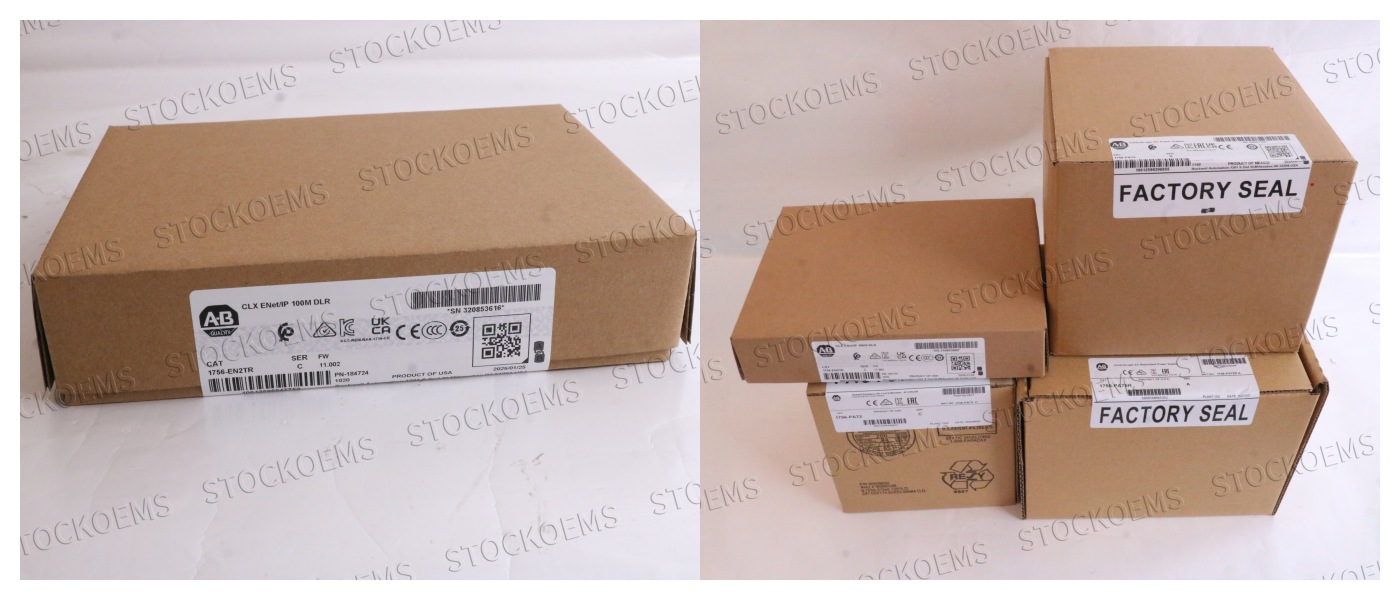
If you want to know details,please contact me without hesitate.
Recommended Model
| 1756-BA1 | 1756-EN2F | 1756-IC16 |
| 1756-BA2 | 1756-EN2TSC | 1756-IB16ISOE |
| 1756-CMS1B1 | 1756-EN3TR | 1756-IF16H |
| 1756-CN2R | 1756-ENET | 1756-IF8I |
| 1756-CN2RXT | 1756-EWEB | 1756-IH16I |
| 1756-CNB | 1756‐HSC | 1756-IR6I |
| 1756-DMA31 | 1756-IA16 | 1756-IRT8I |
| 1756-DMD30 | 1756-IA16I | 1756-IT6I2 |